
Tools I Use to Stay Productive While Traveling PH

Welcome! Many people believe that a successful career and the freedom to explore new places cannot coexist. This guide tackles that very challenge head-on.
There was a time when I thought the traditional 9-to-5 office was the only path to professional achievement. Discovering a different way to manage my work completely changed my perspective on productivity.
This article shares the practical strategies and real-world experiences that make working remotely not just possible, but genuinely effective. You will learn about specific digital aids, physical gear, and organizational methods that support a balanced work–travel life.
With the right approach, you can absolutely enjoy new destinations while staying on top of your professional responsibilities. Our friendly tone will guide you through actionable tips, showing you how to have both structure for your career and the adventure you crave.
Key Takeaways
- Professional success and travel adventures are not mutually exclusive goals.
- The conventional office routine is not the only effective path for maintaining productivity.
- Practical strategies can make working from anywhere a genuinely efficient experience.
- A combination of digital tools, physical equipment, and organizational methods is key.
- Finding a balance allows you to meet career goals while exploring new destinations.
- An approachable framework makes these productivity tips easy to implement.
Understanding the Challenges of Work and Travel
The shift from predictable office rhythms to the unpredictable nature of travel introduces several key challenges for maintaining professional output. Your familiar environment disappears, replaced by ever-changing settings that test your adaptability.
Balancing Routine with Flexibility
Traditional offices provide clear boundaries between professional and personal time. Travel disrupts these established patterns in both challenging and liberating ways. You must create a flexible routine that adapts to different time zones and local activities.
Knowing your most productive hours becomes crucial. Schedule demanding tasks during peak energy times. Save lighter activities for when exploration tempts you more.
Overcoming Connectivity and Distraction Issues
Your wifi connection determines whether you meet deadlines or join important calls. Unreliable internet and slow speeds can derail your entire day. Always verify accommodation internet quality before booking.
Distractions include beaches, museums, and local cuisine competing for your attention. These challenges are normal and manageable with proper planning.
| Challenge Area | Traditional Office | Travel Work |
|---|---|---|
| Daily Routine | Fixed schedule | Adaptable to time zones |
| Work Environment | Consistent setup | Changes frequently |
| Internet Connection | Reliable corporate network | Variable quality internet |
| Distraction Level | Controlled environment | High temptation to explore |
With realistic expectations and the right approach, you can balance professional responsibilities with travel adventures successfully.
Top Productivity Tools for Remote Work
Creating a seamless workflow while exploring new destinations requires carefully selected applications. This curated selection represents the most effective solutions for maintaining professional standards on the move.
Digital Organization and Time Management Apps
Notion serves as an all-in-one workspace combining notes, documents, and project planning. Its flexible platform syncs across all devices, making it ideal for dynamic environments.
Trello’s visual board system simplifies task organization with drag-and-drop functionality. Automatic time zone adjustments for deadlines ensure smooth collaboration across locations.
Toggl Track helps monitor billable hours and project time allocation. Detailed reporting features provide clarity for clients and personal review.
Evernote maintains organized research and documents with powerful search capabilities. Offline functionality ensures access without internet connection.
Collaboration Tools for Virtual Teams
TripIt automatically organizes travel documents into comprehensive itineraries. The Teams version maps member locations for better coordination.
These applications form a complete system addressing organization, time tracking, and team coordination needs.
| Application | Primary Function | Key Feature | Best For |
|---|---|---|---|
| Notion | All-in-one workspace | Cross-device sync | Project planning |
| Trello | Visual task management | Time zone adjustments | Team collaboration |
| Toggl Track | Time monitoring | Detailed reporting | Billable hours |
| Evernote | Document organization | Offline functionality | Research storage |
| TripIt | Travel coordination | Automatic itinerary creation | Team location mapping |
Setting Up a Mobile Office on the Go
Your accommodation choice can make or break your remote work experience. The right place provides both reliable wifi and a comfortable working environment.

Choosing Accommodations with Reliable WiFi
Research destinations using resources like Nomad List. This platform provides crucial data about average internet speed, cost of living, and coworking spaces.
Mexico offers excellent options for remote workers. Cities like Oaxaca, Guadalajara, and Los Cabos feature strong wifi connections and manageable time zone differences.
Always verify your internet connection before booking. Ask hosts for speed test screenshots to ensure you’ll have adequate access.
Designing Your Work-Friendly Space
Create a dedicated working space within your accommodation. This could be a desk in a private Airbnb or a quiet corner with good lighting.
Consider your specific work requirements when choosing a place. Video calls need privacy, while writing tasks can happen in more flexible environments.
Investing in the right setup transforms any location into an effective mobile office. Your temporary home becomes a productive workspace that supports both work and adventure.
Leveraging Digital Collaboration and Communication
Effective digital collaboration bridges the geographical gap between you and your colleagues. This ensures seamless professional communication across different time zones. Strong team connections remain vital for successful remote work.
Integrating Slack, Zoom, and Trello
Slack serves as the central hub for team communication. It replaces scattered emails with organized channels for different projects. Custom notifications align with your specific work hours.
Threaded conversations keep discussions organized and accessible. Huddles enable quick audio calls with team members. Scheduled messages respect colleagues’ time zones.
Zoom has become essential for video meetings while traveling. Virtual backgrounds maintain professional appearance regardless of location. Low-bandwidth mode ensures quality audio with unstable internet.
Cloud recording saves meetings without filling device storage. Integrating Trello creates a seamless workflow between task management and communication.
| Platform | Primary Use | Key Feature | Best For |
|---|---|---|---|
| Slack | Team communication | Organized channels | Replacing emails |
| Zoom | Video conferences | Virtual backgrounds | Professional meetings |
| Trello | Task management | Visual boards | Project tracking |
| Asian markets | Free WiFi use | International teams |
Tips for Seamless Virtual Meetings
Test your internet connection before important video calls. Schedule meetings that respect all participants’ time zones. Calendar integration automatically adjusts for location differences.
WeChat works well for teams operating in Asian markets. It offers free use with WiFi and comprehensive communication features. Choose platforms based on your team’s location and work style.
Effective collaboration requires clear communication norms. Respect teammates’ working hours across different regions. The right tools combined with thoughtful practices ensure professional success.
Tools I Use to Stay Productive While Traveling PH
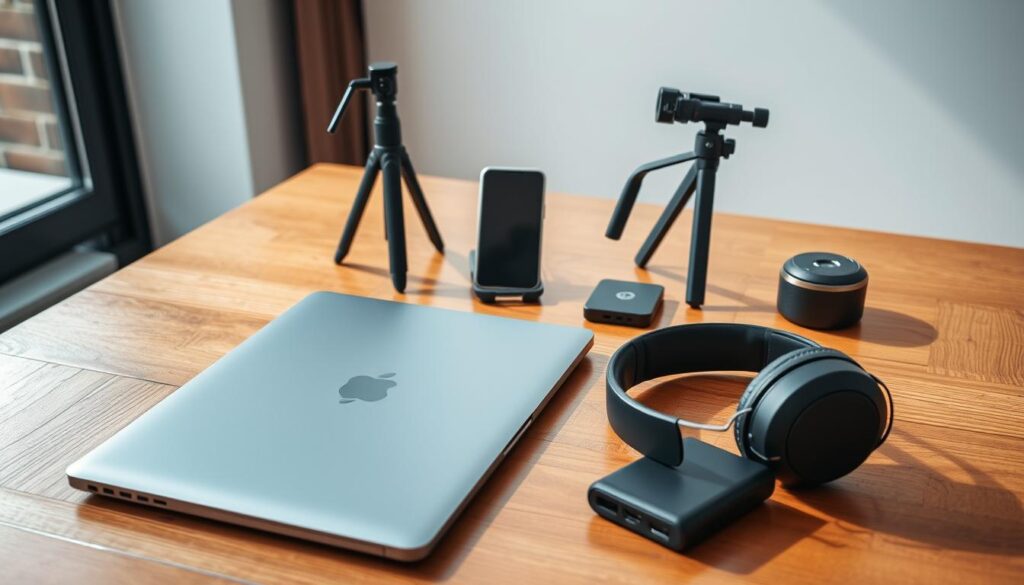
Building an effective mobile office requires both physical gadgets and smart software. The right combination keeps you connected and productive wherever your adventures take you.
Essential Travel Gadgets and Accessories
A reliable internet connection is non-negotiable. The Solis personal hotspot provides unlimited data in over 100 countries for just $8 daily. This compact device connects up to five gadgets simultaneously.
Other crucial items include the SanDisk Extreme Portable SSD for secure backups. The Ceptics World Travel Adapter Kit handles diverse electrical outlets. Jabra headphones ensure clear calls in noisy environments.
Anker portable chargers keep your device powered during long journeys. A roaming data plan offers backup connectivity when WiFi fails. These physical tools form your foundation for successful travel work.
Optimizing Workflows with Mobile Apps
Google Workspace brings Docs, Sheets, and Drive into one cloud platform. Automatic syncing allows access from any device with internet connection.
Grammarly provides AI-driven writing assistance across all platforms. It checks grammar, spelling, and tone for professional communication. This tool is invaluable for business correspondence.
NordVPN secures your data on public networks with military-grade encryption. Its global server network protects sensitive business information. These apps enable true mobility for the modern traveler.
| Gadget/App | Primary Function | Key Benefit | Ideal For |
|---|---|---|---|
| Solis Hotspot | Portable WiFi | Global coverage | Reliable internet access |
| SanDisk SSD | Data storage | Fast transfers | Work backups |
| Google Workspace | Cloud productivity | Real-time collaboration | Document management |
| NordVPN | Security | Encrypted connection | Public WiFi protection |
Investing in quality gear and applications empowers the nomad lifestyle. These tools and apps support both professional responsibilities and travel adventures effectively.
Strategies for Balancing Work and Adventure on the Road
What separates stressful work trips from fulfilling mobile careers is intentional scheduling. The biggest challenge lies in finding that sweet spot between professional responsibilities and the adventures that called you to travel.
Creating a Flexible Daily Schedule
Start by identifying your personal productivity patterns. Track your energy levels throughout the day to discover when you’re most focused.
Many people find creative energy peaks in morning hours before lunch. Schedule demanding tasks during these high-focus periods. Save lighter administrative work for afternoon slumps when exploration tempts you more.
Time blocking creates structure while maintaining flexibility. Here’s an example schedule that balances productivity and adventure:
- 7:00-8:00: Morning exercise or meditation
- 9:00-11:00: Important meetings and client calls
- 12:00-1:00: Lunch adventure at a local cafe
- 1:00-3:00: Email management and admin tasks
- 3:00-5:00: Focused project work
- 5:00-7:00: Museum visit or local exploration
Time Blocking and Prioritizing Tasks
Identify which tasks have firm deadlines versus those with flexible timing. This helps you prioritize effectively when travel opportunities arise.
Use project management tools to track progress across multiple assignments. This ensures nothing falls through the cracks while you’re exploring new destinations.
Be realistic about daily accomplishments. Trying to cram too many work tasks and travel activities leads to burnout. Limit workday adventures to one or two small activities.
Save extensive sightseeing for weekends when you have dedicated time off. Some days will naturally focus more on business, others on adventure—this flexibility is key to sustainable balance.
Conclusion
Exploring the world while maintaining career momentum represents an achievable goal for modern professionals. The right combination of preparation, digital resources, and mindset makes working remotely from any place entirely possible.
Resources like Coliving.com offer work-ready living spaces across 70+ countries. These accommodations provide reliable internet and flexible contracts. Strategic time management ensures balance between professional tasks and exploration activities.
Start your journey by choosing one destination from our recommended list. Implement a few strategies from this guide on your next travel experience. Subscribe to relevant newsletters for special offers that support this rewarding way of life.